GPX navigation app for iPhone
Choosing a GPX navigation app for iPhone starts with the route itself: what is in the file, where it came from and whether it suits the ride you want to do.
Available for iPhone
What a GPX file actually contains
A GPX file stores geographic points as latitude and longitude, with optional information such as elevation and time. Think of it as route data rather than a picture of a map. A line across the screen can describe where to ride, but the file alone does not tell you whether a road is open or a surface suits your tyres.
The format distinguishes tracks from routes. A track contains ordered points describing a path; a route contains ordered waypoints, often representing places to pass through. Cycling downloads are commonly called routes even when their GPX data contains a track. That distinction matters because an app can treat the two kinds of data differently.
Elevation is optional, so two files describing similar roads may contain different climbing information. Keep the original file as well as any edited copy, particularly when someone has simplified a track or changed its start.
Find a route you can trust
You might get a GPX from a club ride organiser, an event website, a route planner or a friend. Ask when it was made and what kind of riding it describes. A road loop, gravel outing and mountain-bike track can look equally neat when reduced to a line.
Before relying on a shared file, check the start location and riding direction against the accompanying instructions. For an event, use the organiser’s latest published version. For an informal ride, ask about gates, rough sections and any part the sender would avoid after rain. A file is useful preparation, but it cannot settle those questions on its own.
Get the file onto your iPhone
Downloaded files can be found in the Files app, usually in the Downloads folder. If a friend sends an attachment, the share sheet may offer Save to Files; the available actions depend on the app you received it in. Save it somewhere you can find again, with a name that distinguishes it from older versions. Follow the steps to import and follow a GPX route on iPhone when you are ready to open it.
- For a file, check that you have the actual GPX download rather than a screenshot or a web page.
- For a link, check whether it points directly to a GPX file or to a page with a separate download button.
- Open and inspect the route while you still have a connection, rather than discovering a missing file at the meeting point.
Before you leave
If your phone will be your navigation device, compare using a phone or a bike computer for cycling around power, mounting and how you will read the route.
- Review your downloaded map coverage, including the start, finish and any likely detour.
- Check how the climbing is distributed, not just the total distance: a steep finish changes how you might pace the earlier kilometres.
- Choose a turnaround or shorter alternative before setting off, and carry the food, water and lights the outing may need.
If you intend to follow a GPX route in the opposite direction, check road restrictions and access separately. Reversing the order of points does not make a one-way road legal to ride the other way.
What Glood does on the ride
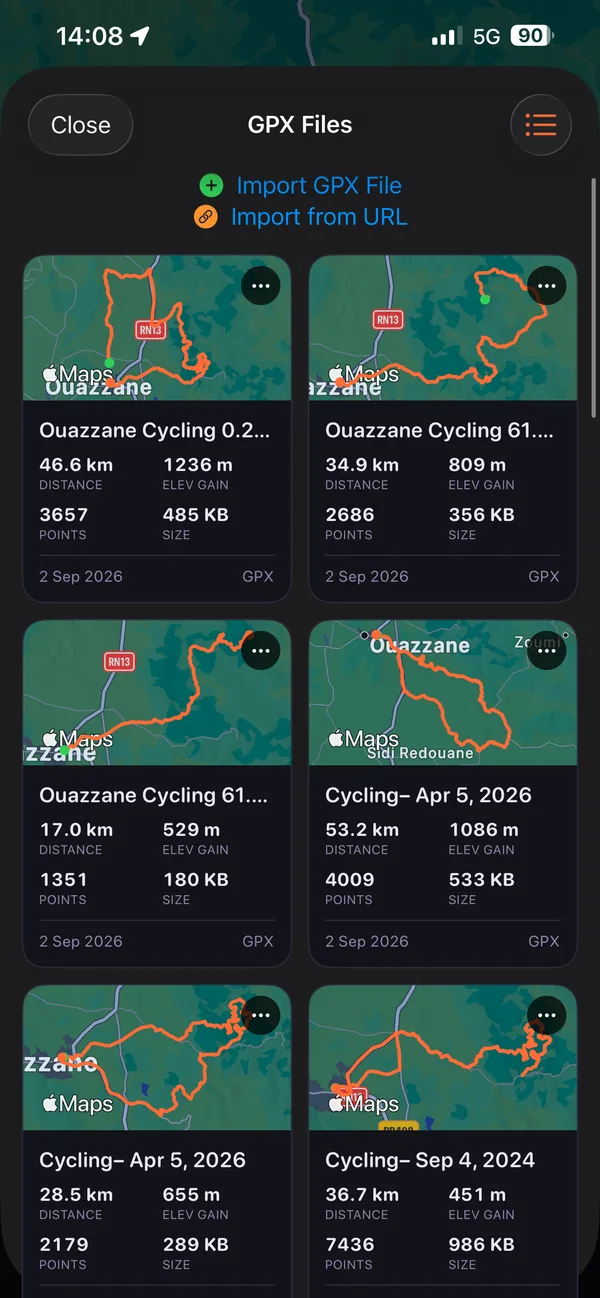
In Glood, import a GPX route from a file or paste a link to one.
You can reverse a loaded GPX route to ride it in the other direction.
See climbs marked on your route when it has elevation data; during a planned ride, the next-climb preview shows the distance to it, its average gradient and elevation gain.
Time, speed, distance and elevation gain appear in large numbers alongside the map.
On a free ride, see the straight-line distance to your start, get range alerts with an estimate that accounts for return climbing, and open directions to the start in the system maps app.
Questions before your ride
Can I use a GPX file on iPhone?
Yes, you can store a GPX file on an iPhone and open it in an app that supports the format. Saving the file and interpreting its route are separate steps; check both before you leave.
Why does a route link open a website instead of a file?
The link may point to a route’s web page rather than its GPX download. Look for an export or download option, then check the resulting file; copying the page address is not always the same as copying a file link.
Does a GPX file include the map underneath the route?
No, the GPX format stores geographic data, not the background map imagery. The app supplies that map separately, which is why downloading a route file does not by itself prepare map coverage for a ride with no signal.