Climbs on your route
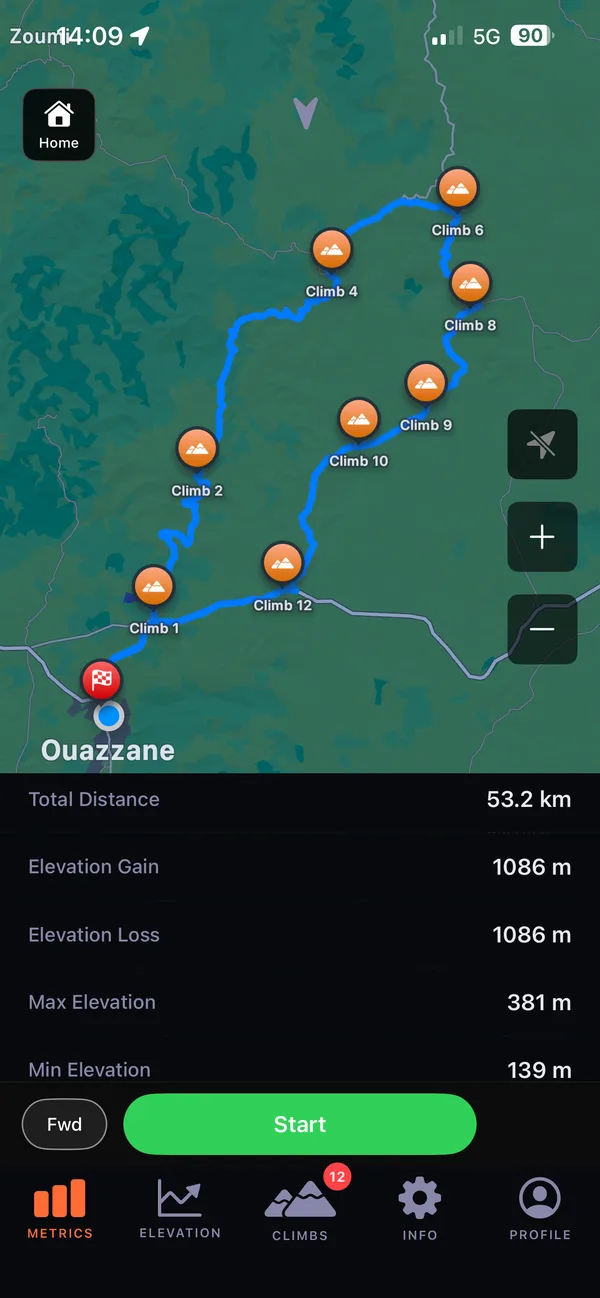
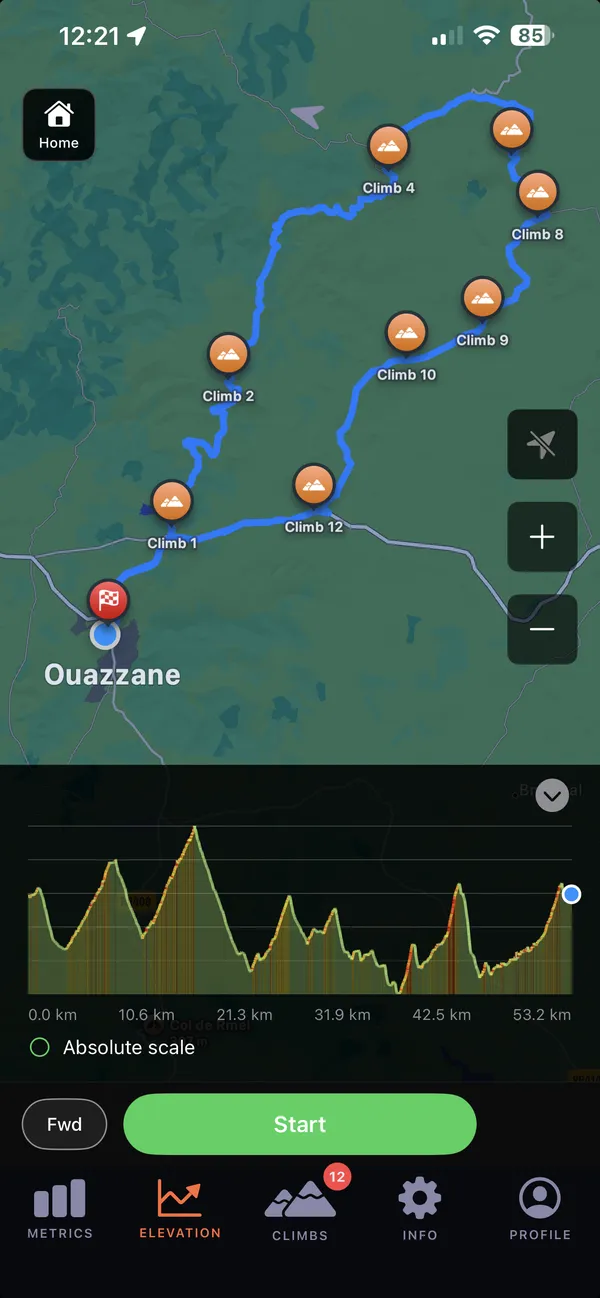
See climbs marked on a route with elevation data.
During a planned ride, the next-climb preview shows the distance to it, its average gradient and elevation gain.
GPX routes, ride recording and training plans for iPhone and iPad.
01 · Navigate
GPX import, route climbs, free-ride candidates and downloaded maps.
See climbs marked on a route with elevation data.
During a planned ride, the next-climb preview shows the distance to it, its average gradient and elevation gain.
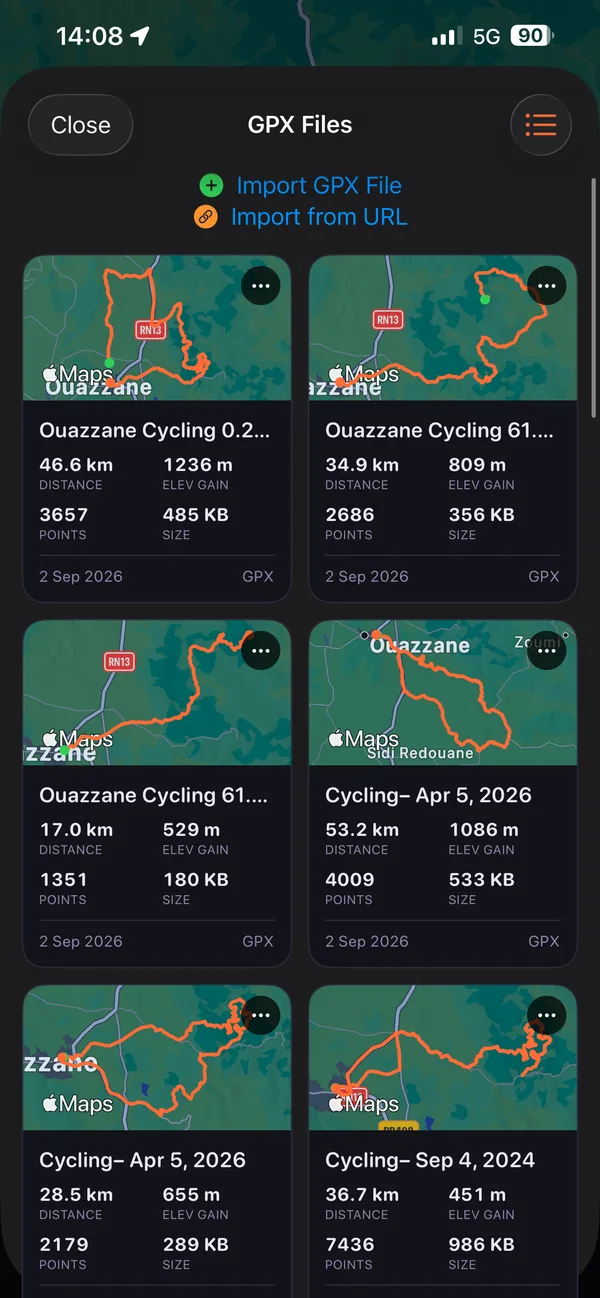
Import a GPX route from a file or paste a link to one.
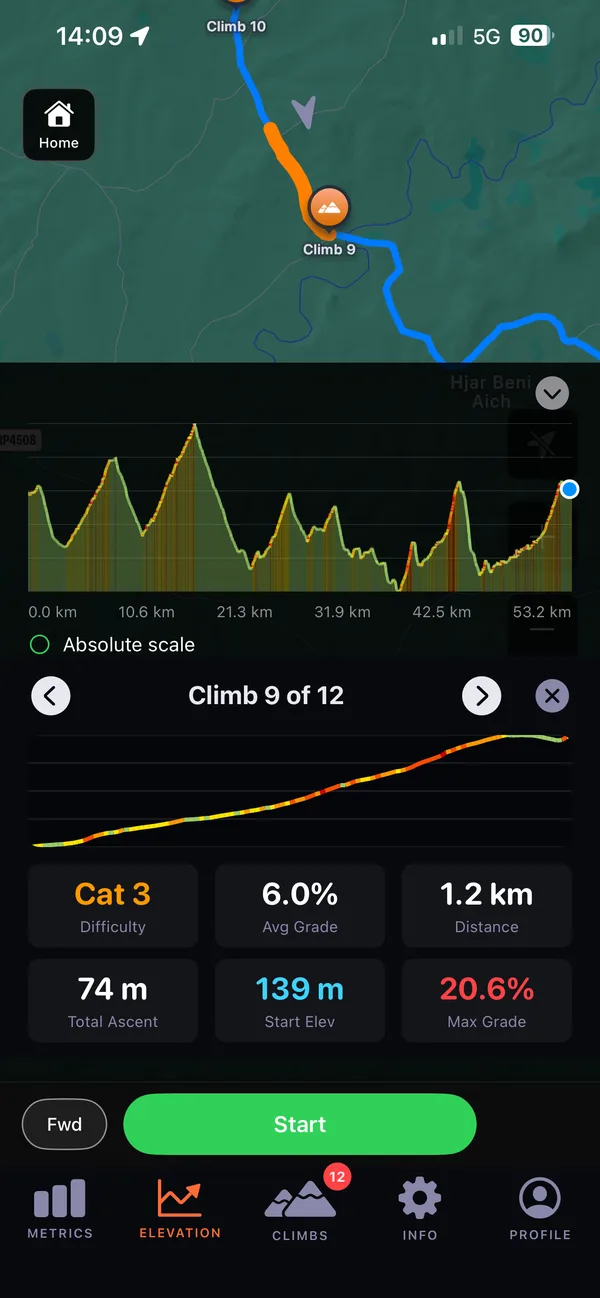
Browse and open a route’s climbs one by one to read its profile, length, ascent and grades.
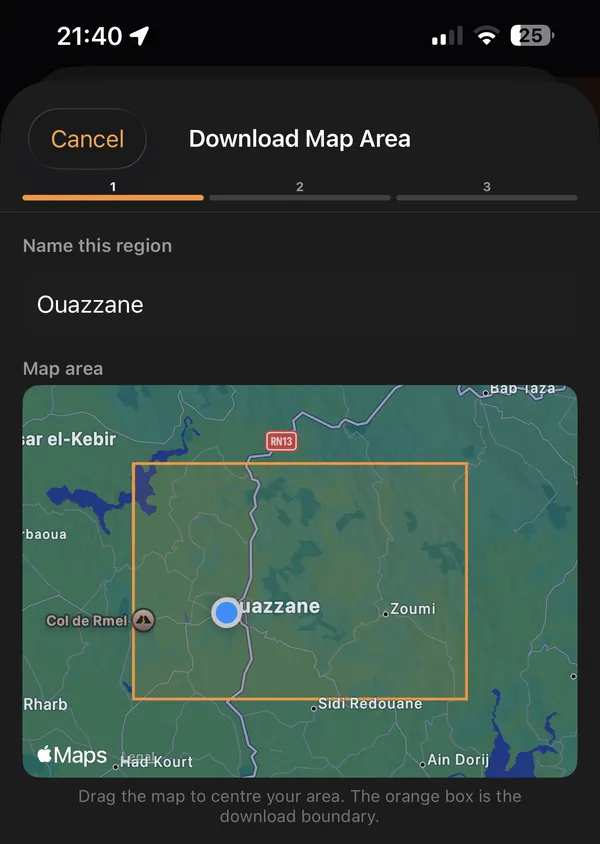
Download a map region for riding offline.
Or download map tiles for a planned route before you leave, then use the downloaded coverage and record your ride without a network connection.
On a free ride, see the straight-line distance to your start, get range alerts with an estimate that accounts for return climbing, and open directions to the start in the system maps app.
Reverse a loaded GPX route to ride it in the other direction.
On a free ride, see climb candidates ahead when road and elevation data is available.
02 · Ride
Recording, replay, GPX export.
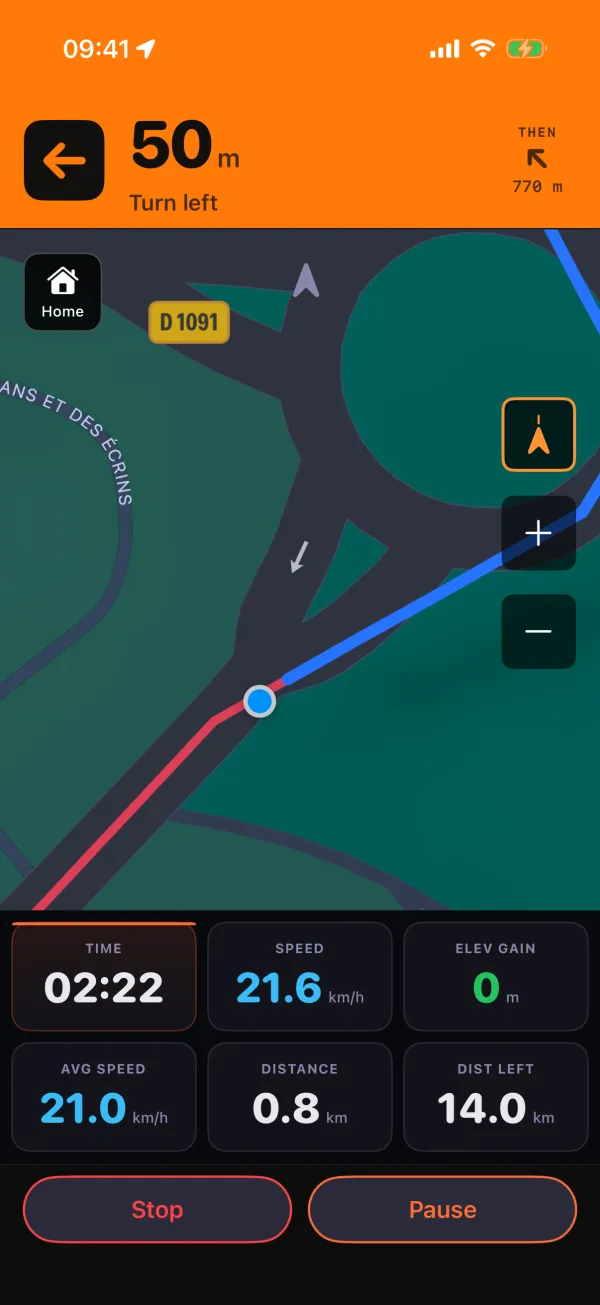
Read time, speed, distance and elevation gain in large numbers alongside the map.
Hold to pause or stop, with sounds and haptic feedback for ride controls; the Keep Screen On setting keeps the display awake.
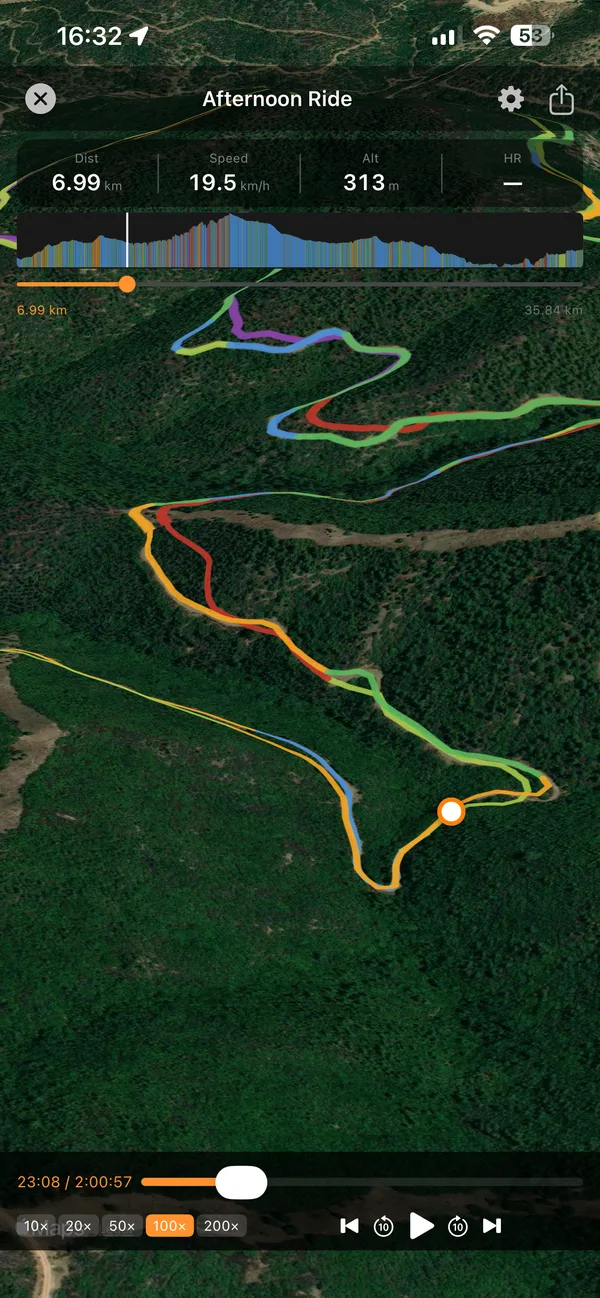
Watch an animated replay of the recorded route with changing ride statistics and a track coloured by gradient.
Record the replay and open the system video preview to save or share it.
Recording pauses moving-time accumulation when you stop moving and resumes it when movement returns.
Export a recorded outdoor activity as a GPX file through the share sheet.
03 · Train
Levels, plans, suggested weeks, workout library, Elite sessions and custom training.
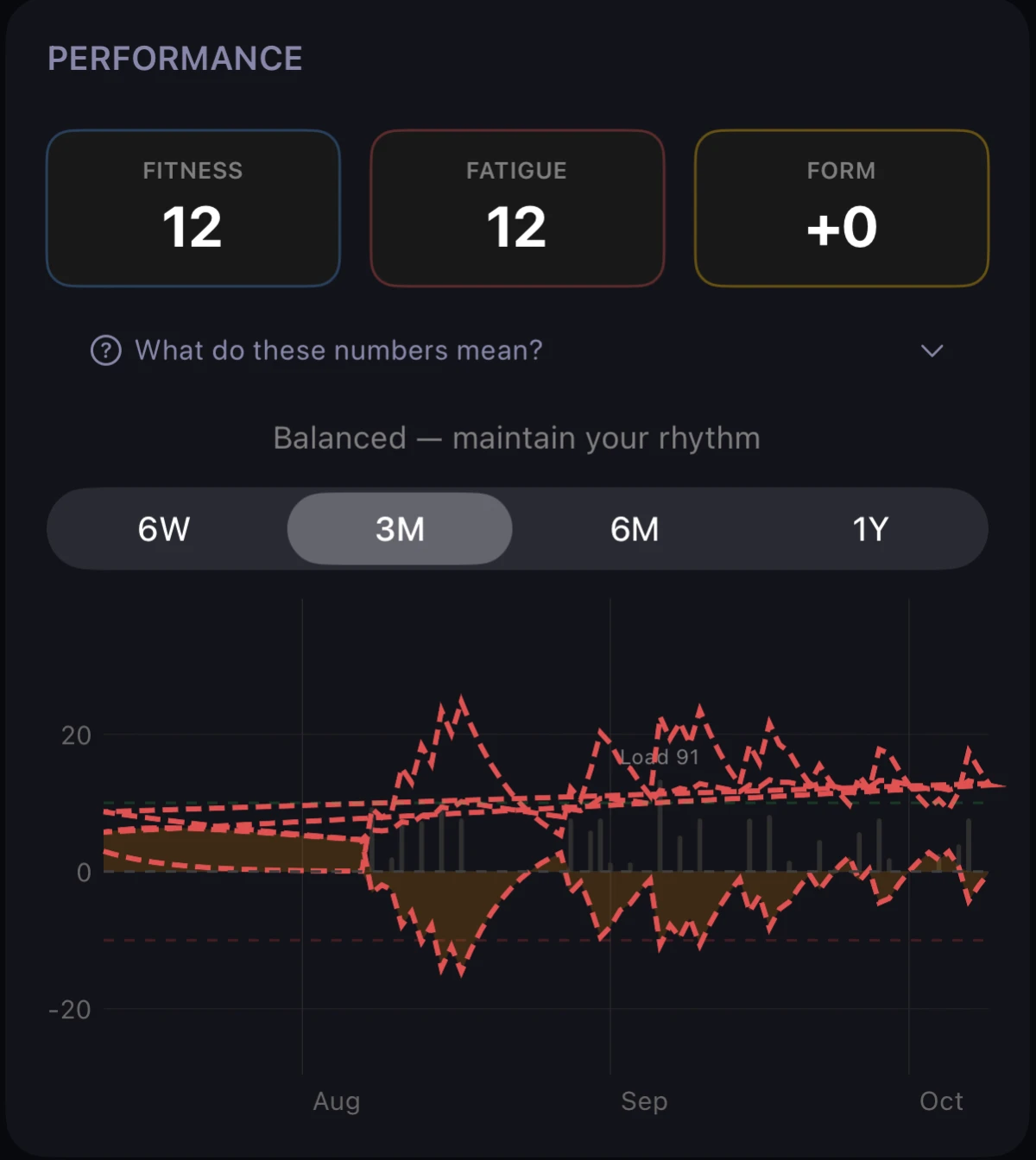
Review an activity’s training load and see fitness, fatigue and form over time.
These calculated measures use your recorded activities to show how recent training contributes to the longer-term picture.
Explore fitness, fatigue and form in Performance, with a trend chart spanning 6 weeks, 3 months, 6 months or 1 year.
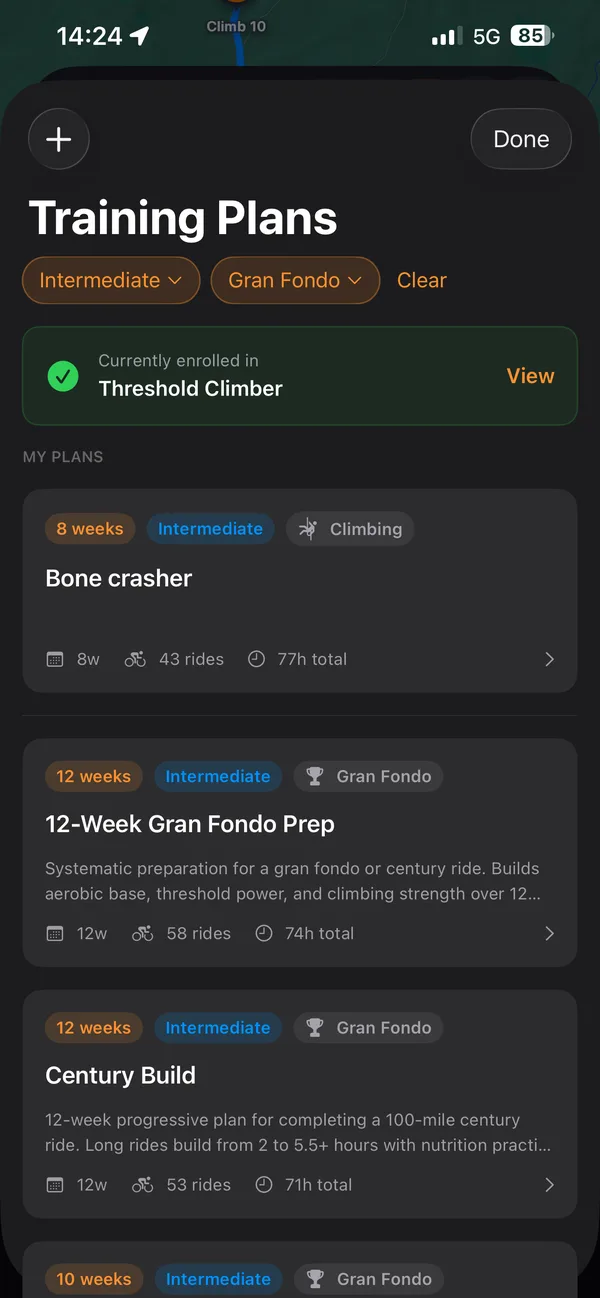
Filter plans by level and goal, then read their weeks, workouts, total time and weekly volume before you start.
Choose a start date and follow the calendar. Review your progress and mark a workout complete; the Home plan card can link an activity recorded that day.
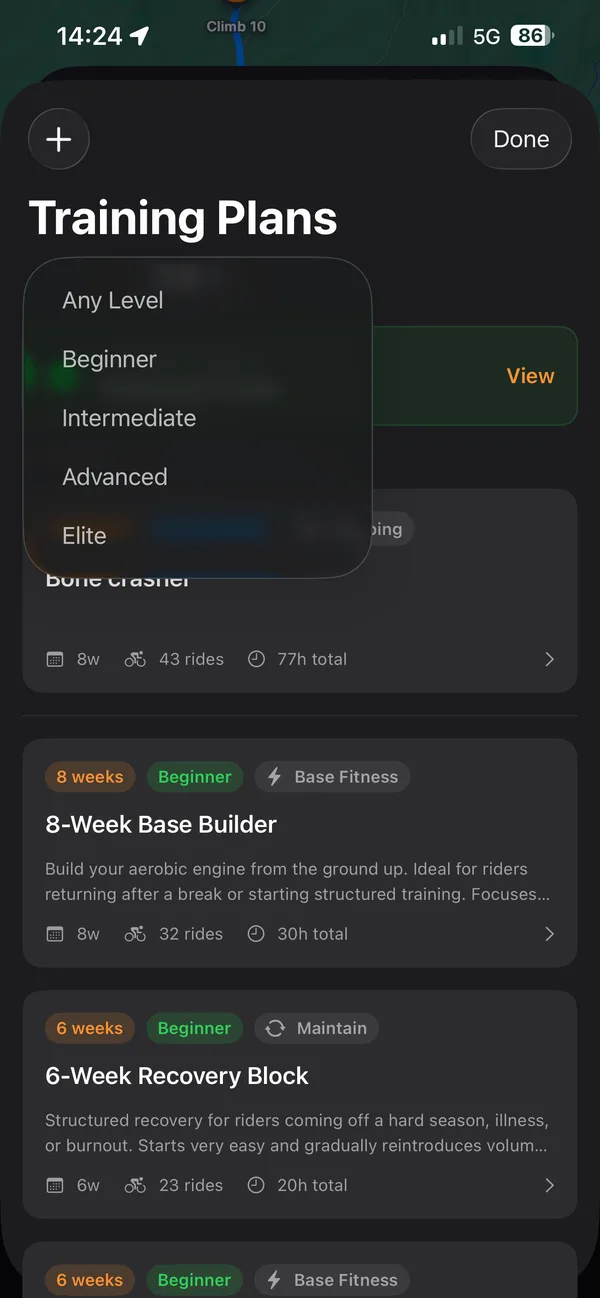
Choose Beginner, Intermediate, Advanced or Elite during onboarding, then use plans and workout recommendations for your level.
If your level is unset, a history-based suggestion is available after at least 20 rides longer than 500 metres. Home can remind you to revisit your level.
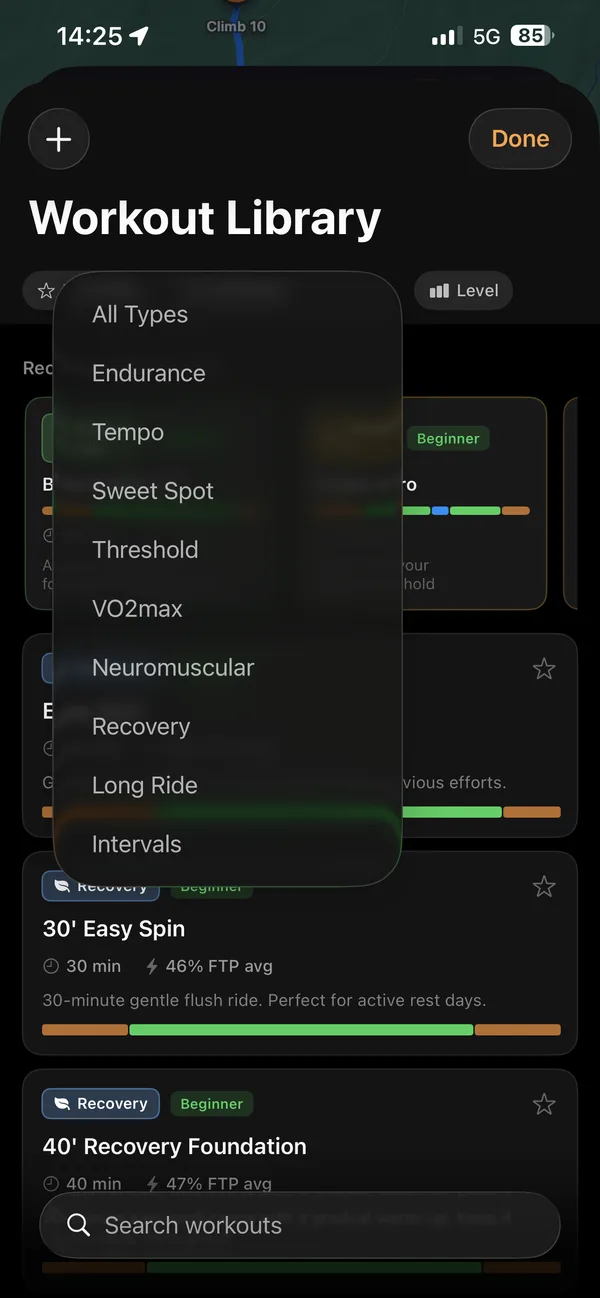
Browse and search workouts, then filter by type and level, from Beginner through Elite.
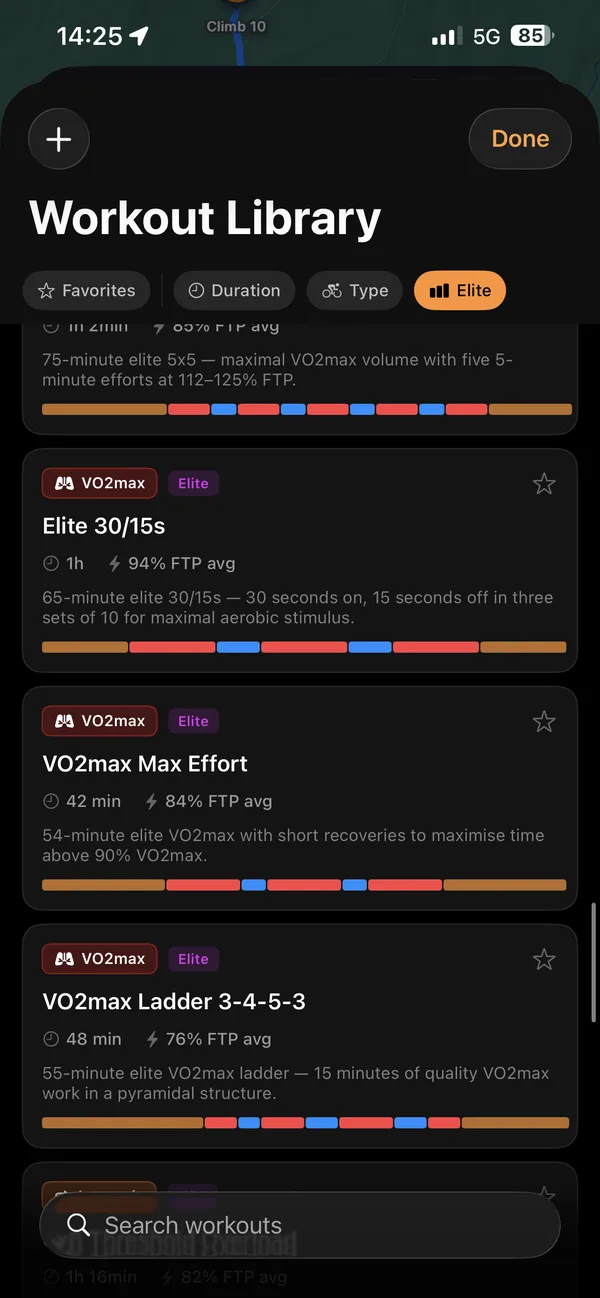
Browse Elite workouts including Elite 30/15s and VO2max Ladder 3-4-5-3, with each session’s duration and intensity.
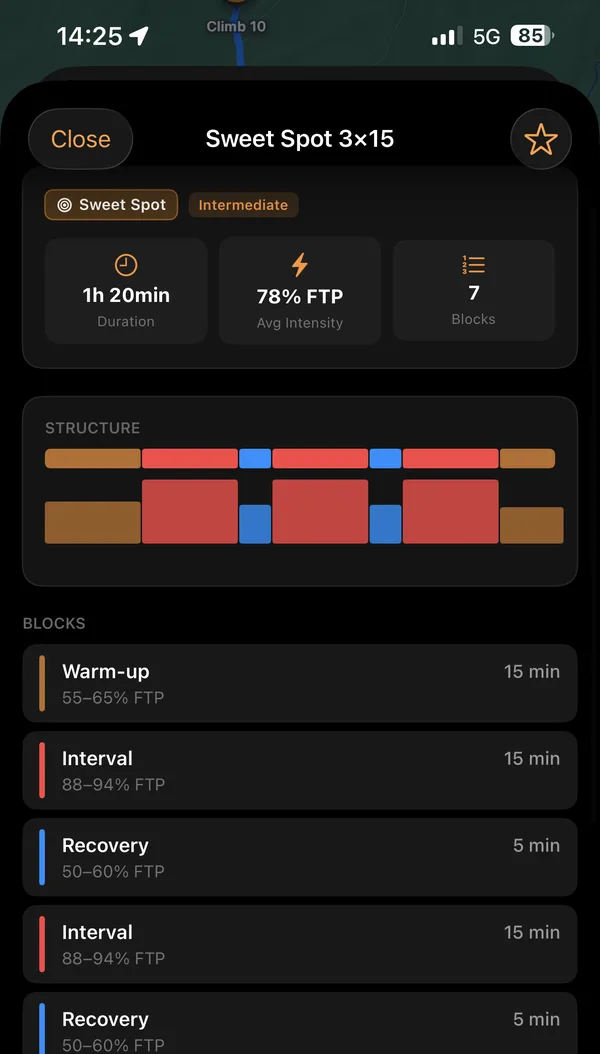
Open a workout to read its duration, average intensity and interval structure, block by block.
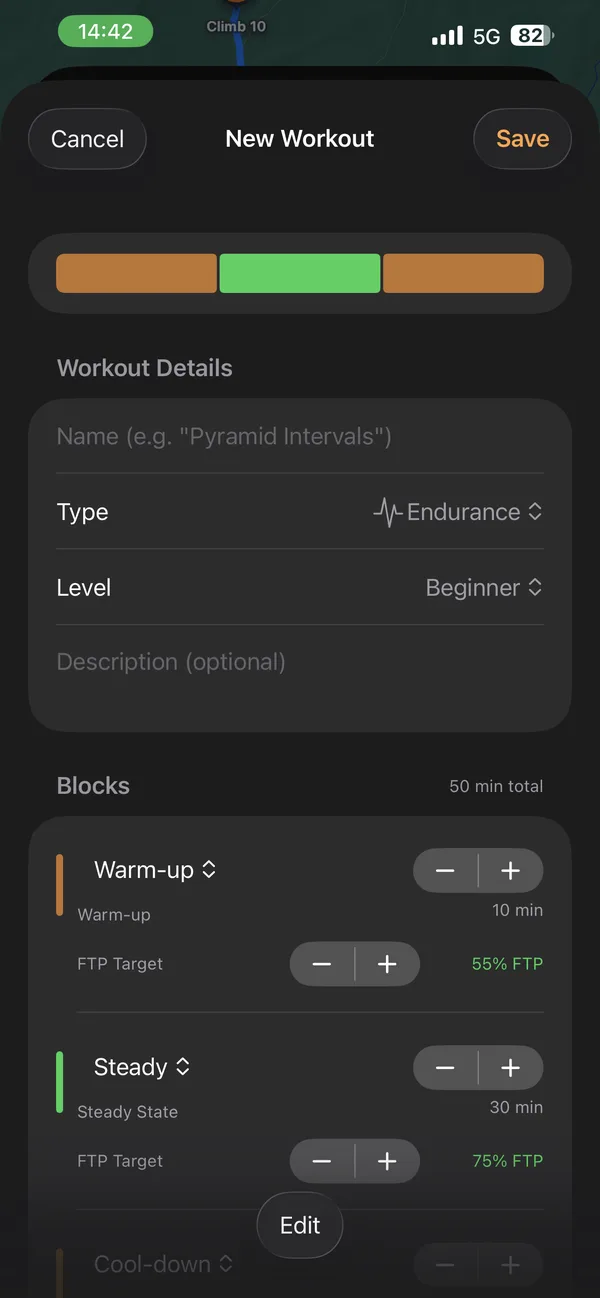
Build and save a custom workout from warm-up, effort, recovery and cool-down blocks.
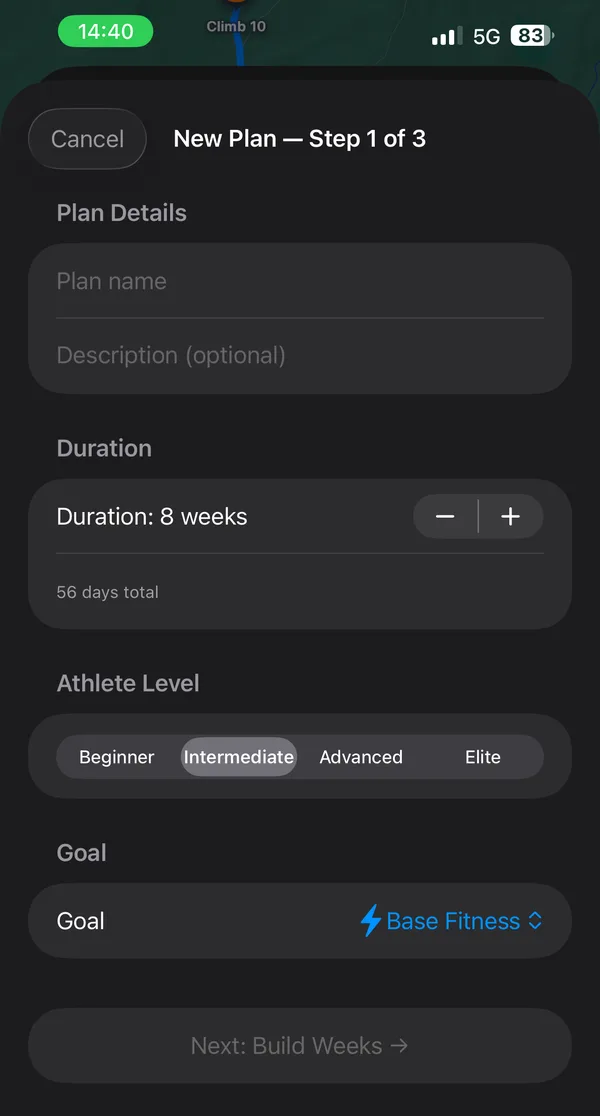
Set a custom plan’s length, athlete level and goal, then build it week by week.
After at least 14 days of training data, Suggested Week shows target load and suggested day types. These suggestions do not edit your calendar or mark workouts complete.
On Home, see today’s workout from your enrolled plan, a note on today’s form and your plan’s progress.
See a daily workout suggestion on Home, with the reasoning behind it.
04 · Review
Analysis, records, ride history.
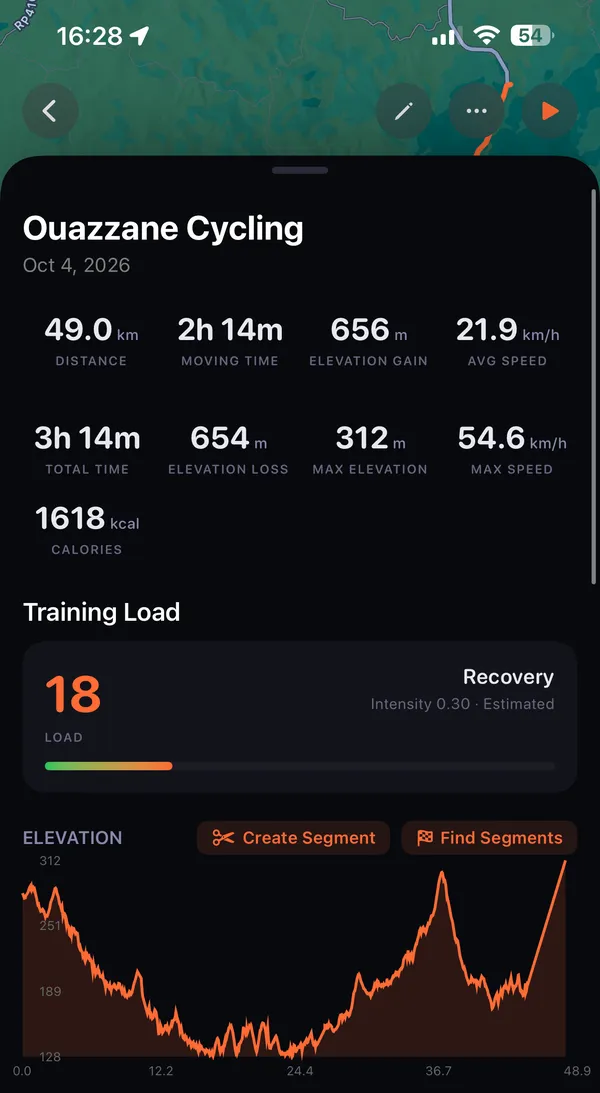
Review elevation and speed charts, distance splits and best efforts from a recorded activity.
Compare efforts with your activity history and see personal records.
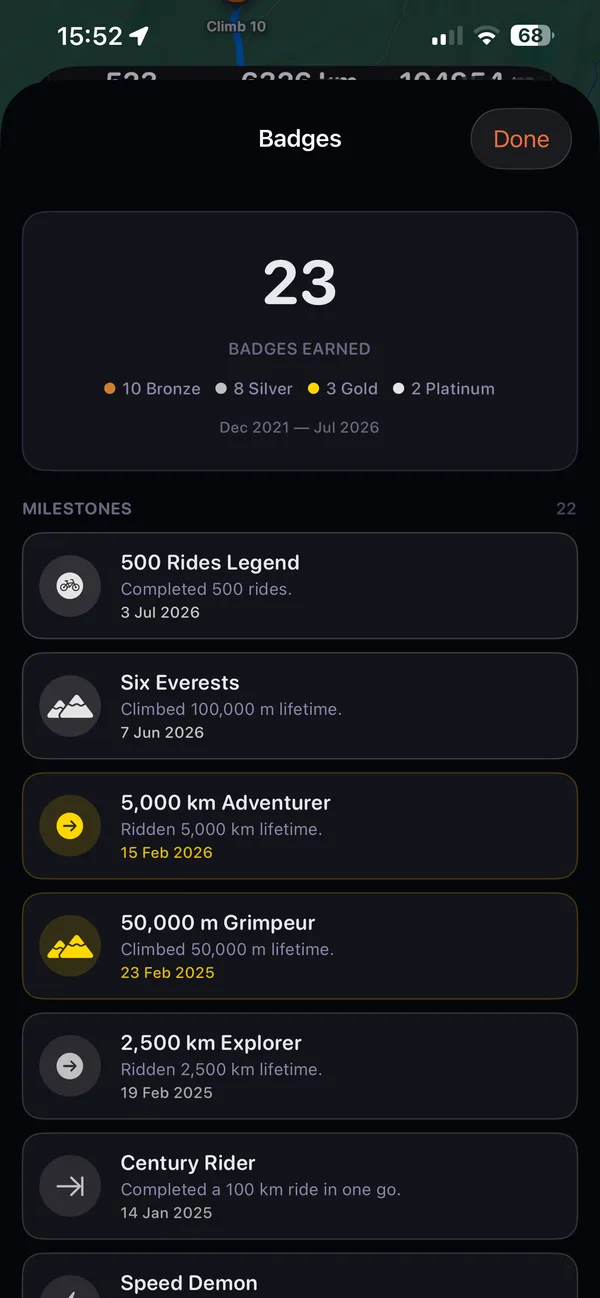
Earn badges for distance, activity count, climbing and riding milestones, and review the ones you have earned.
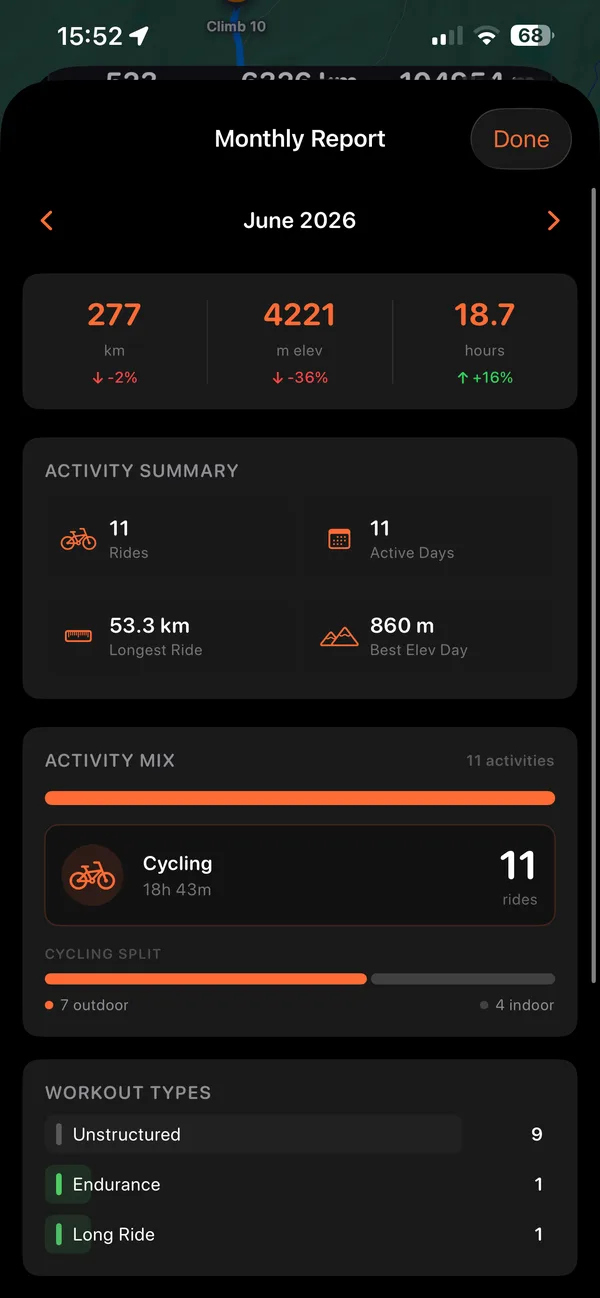
Explore your activity calendar, yearly heatmap, year-over-year comparison and monthly report.
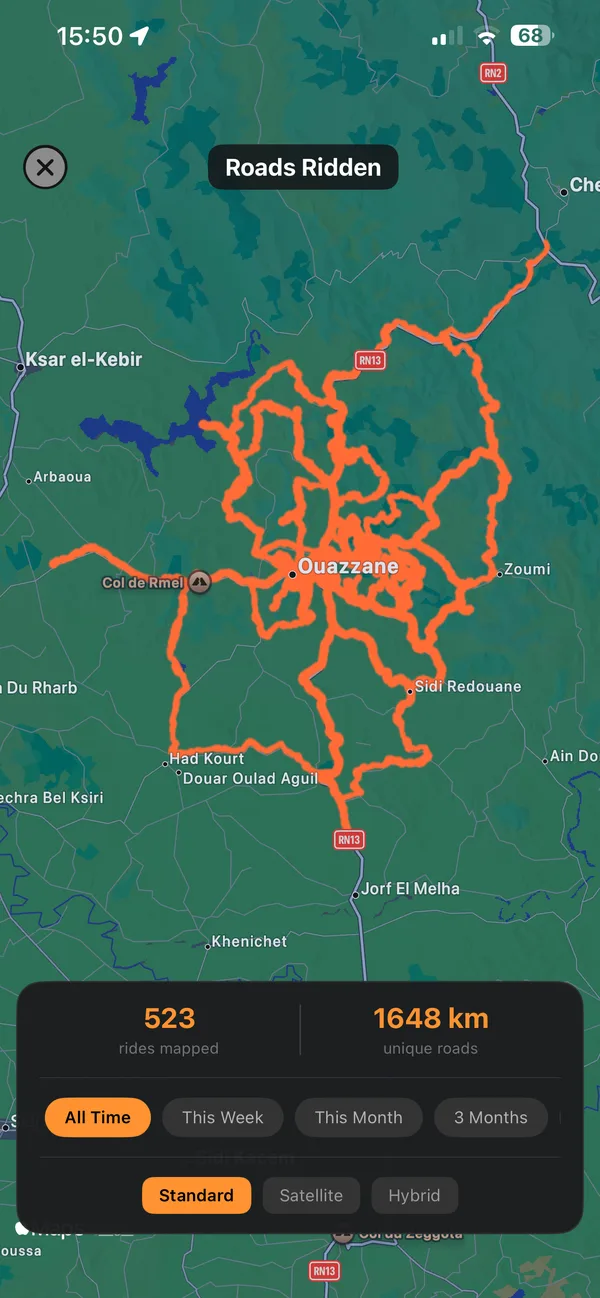
Revisit recorded climbs in your climb passport and see a map of the roads captured in your activity history.
Import activities from your phone’s health data and export recorded activities to it with permission, export activity files and saved routes in a ZIP, review duplicates, and restore deleted activities from Trash for 30 days.
05 · Safety
Ride alerts, emergency contact.
Save an emergency contact and get an alert if movement stays below the threshold for several minutes during an active, unpaused ride.
The alert offers to open a message to your contact with your current location; you choose whether to send it.
Low-battery banners appear during the ride.
Web dashboard
Look back at a recorded activity’s route and metrics on the web dashboard.
Sign in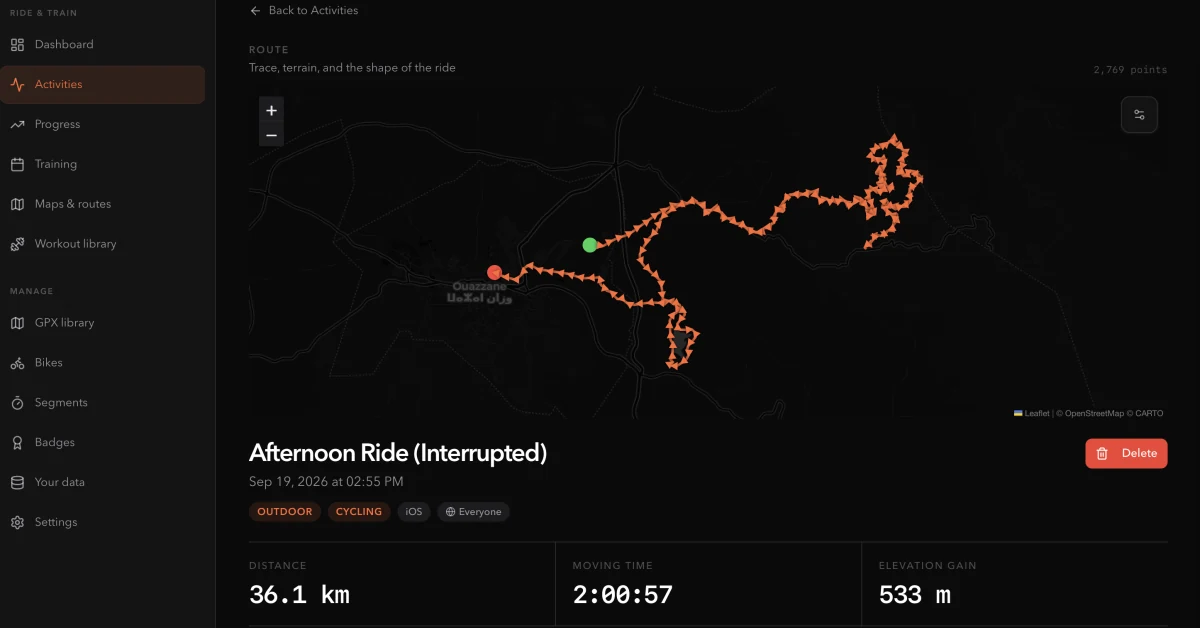
For practical answers before your next ride, read the cycling guides on routes, maps and training.
Browse the cycling training plans by goal and the structured workouts by type from Glood’s library.